

What is does each part do or contain?
Monitor:
The monitor (see below), displays information through visuals like graphics and text. The middle of the monitor that shows the still or moving pictures is called the screen.
There are two main types of monitors. They are: cathode ray tube (CRT) and liquid crystal display (LCD). When compared together, both screens produce sharp images, but CRT monitors are at a disadvantage because they are heavier and fatter. On the other hand, CRT's are more common because they are less expensive.

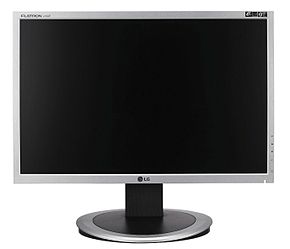
LCD monitor (left); CRT monitor (right) Cathode Ray Tube Monitor Liquid Crystal Display
Brands:
Some computer monitor brands include Apple, Samsung, LG and so much more. For more brands, click here.
More Information:
The general price range for a monitor is about $79-$8000 depending on the brand, condition and ability. For instance, an Asus VG236H monitor costs about $1,221.60. This is because of it has a 23 inch screen capable of 3D and and an aspect-ratio of 16:9 (LCD).
Also, according to surveys taken, as of July 2002, the resolution of computer monitors have proven to be better than televisions. They have been upgraded to 1024 × 768 or more depending on the purpose the monitor serves.
For an example of a monitor, click here.
System Unit:
The system unit is the main part of the computer (desktop) that contains many internal components like the RAM (random access memory), motherboard and CPU (central processing unit). Within the system unit, the CPU is like the brain and the RAM temporarily stores information. It also contains the motherboard, storage and power supply. The types of system units include: tower, desktop, mini-tower and notebook.

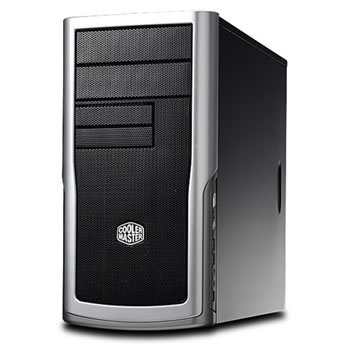
Tower System unit
For an example, click here.
CD/DVD Drive and Floppy Disk Drive:
CD/DVD drives are usually found at the front of the system unit as shown above. This port uses lasers to read and write data on or into the CD/DVD. The CD/DVD Drive can be used to watch movies, store data, burn CD/DVDs or listen to music.
 CD/DVD
The floppy disk drive is the port where one can use floppies. This port is not as popular as it was in the past because floppies cannot store a large amount of data and are slower compared to CD's or DVDs. It uses a magnet to access data.


Brands:
There are many different brands for the different drives. They include: Acer, Dell, Panasonic and etc. For more brands, click here.
More Information:
Nowadays, the use of CD/DVDs or floppies have decreased compared to the usage of other devices like the USB flash drive.The floppy has various types of disk drives. They include: 5 ¼, 3 ½, and Zip Drive. Also, the price ranges from below $14 to over $200.
For an example, click here.
CPU:
The CPU, also known as the Central Processing Unit, is the most important part of the computer and is considered the "brain" because it operates and processes calculations and information. There are two main parts to a CPU. They include:
- ALU- Known as the Arithmetic Logic Unit, and it basically executes calculations and logical operations
- CU- Known as the Central Unit, it performs tasks by using the instructions on the memory (uses the ALU when needed)
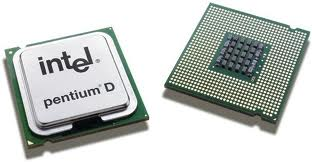
Intel CPU
Brands:
There are two main companies/corporations that create CPU's. They are: Intel and AMD.
More Information:
CPU's are generally small and made up of metallic materials. The average price range is about $14-$300 and their speed is about 2-4GHz. The price differs depending on the brand, speed and capability of the CPU. For instance, and Intel Xeon 5148 with a speed of 2.33GHz is about $14.86. Also, the CPU capacity is different for each model.
For an example of a CPU, click here.
For a video about how the CPU is made, click here.


