Modem:
The modem is the device that connects your computer to the internet. It is usually seperated from the system unit for higher-speed, but can also be found within the system unit. Modems receive and send information regarding your computer through phone lines or high-speed cables.
 Cable modem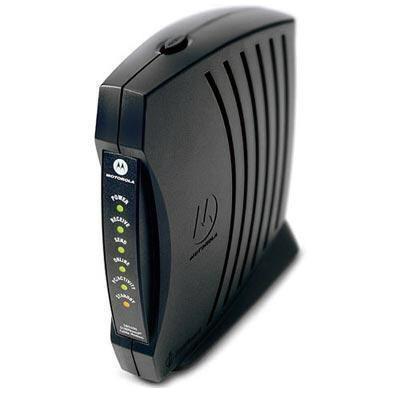
Brands:
There are many brands for modems. They include: D-Link, Toshiba and much more. For more brands and details, click here.
More information:
The price for modems vary depending on its type, speed and brand. The general price range is about $40-$200 and the speed varies based on the connection and capability of the modem itself.
For an example of a modem, click here.
Motherboard:
The motherboard, also known as the mainboard, is what connects and holds together all the main parts of the computer. That includes: CPU, memory, ports, slots, peripheral devices (devices that are not part of the essential computer - can be internal or external) optical disk drives and etc. In order for the motherboard to function properly, all crucial parts of the computer that it holds must be compatible.

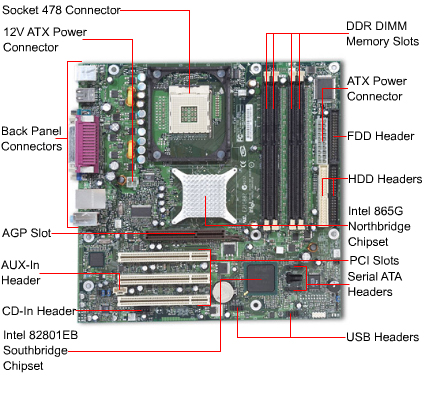 <-------Click picture for larger image.
Motherboard
Brands:
There are many companies and corporations that make motherboards. They include: Acer, GigaByte, Biostar and etc. For more information, click here.
More Information:
Motherboards generally cost $50 or more. The capacities of the motherboards or the RAM (Random Access Memory) on the motherboard all depends on the brand, its speed, manufacturer and etc. Most of the capacities are over 4GB.
For and example of a motherboard, click here.
For a video about a motherboard, click here.
RAM:
The RAM, also known as the Random Access Memory is found within the motherboard (above). RAM is a form of volatile (loses contents when turned off) memory on the computer that stores current data and allows it to be accessed quickly and randomly. There are two main types of RAM. They are:
-
DRAM - Known as Dynamic Random Access Memory, it is a type of RAM that constantly needs to be refreshed so it doesn't lose its contents
-
SRAM - Known as Static Random Access Memory, it is a type of RAM that is less volatile and faster because it doesn't need to be refreshed constantly


RAM
Brands:
There are many manufacturers for RAM. They include: Kingston, Axiom and much more. For more details, click here.
More Information:
The price range for RAM varies greatly depending on the brand, speed, type and etc. The price can be less than $20 to over $550. The speed for RAM can be less than 133MHz or more than 1866MHz. The capacity for RAM can be less than 16MB and more than 8GB.
For an example of a Kingston RAM, click here.
Power Supply:
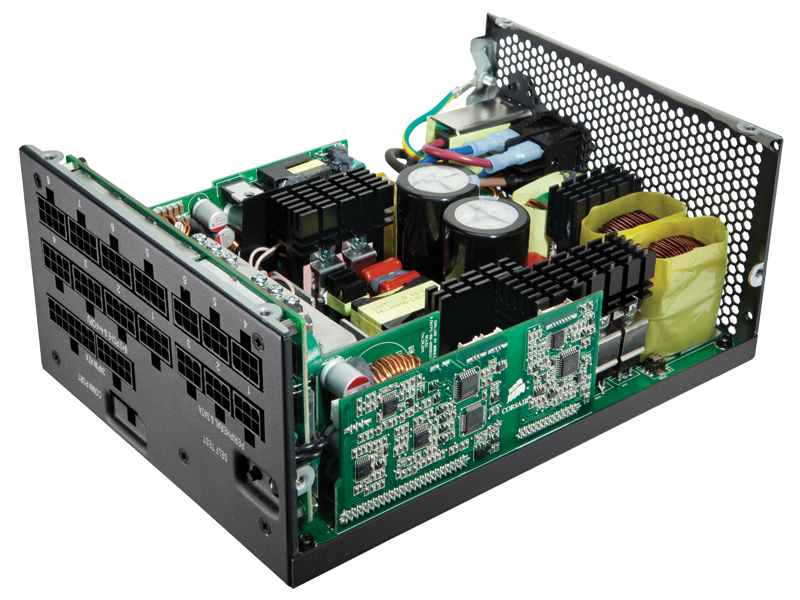
The power supply, also know as the Power Supply Unit, is found within the motherboard (above). It is the part of the computer that gives the computer itself power to function. Most desktop computers are plugged into an outlet. When this happens, the power supply draws in electricity from the outlet and converts the DC (direct current) into AC (alternating current). The number of watts that the power supply can generate and provide for the components of the computer all depend on how powerful the computer itself is.

Brands:
There are many different brands for the power supply. They include: Thermaltake, Antec and etc. For more information, click here.
More Information:
Power supplies generally cost either less that $56 or more than $224. The power of the power supply can be less than 300W or more than 1350W.
For an example of a power supply, click here.
Hard Drive and Blu-ray Drive:
The hard drive, also known as the hard disk drive, uses magnets to access and read data on or into a hard disk. The Blu-ray drive on the other hand uses a blue-violet laser to access, write and read data.

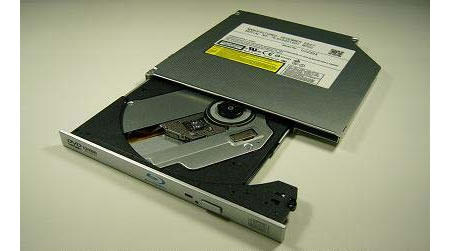
Hard Drive Blu-ray Drive
Brands:
There are many different brands for these drives. They include: Samsung, Lenovo and etc. For more information, click here.
More Information:
These drives can cost either less than $65 or more than $185. The capacity of the drives depend on the brand, quality, speed and etc. But, when these two drives are compared , blu-ray drives are considered better because they can write and read a larger amount of data.
For an example, click here.
For a video about a Hard Drive, click here.


